How to Set Up Shopify Email Marketing in Just 10 Minutes
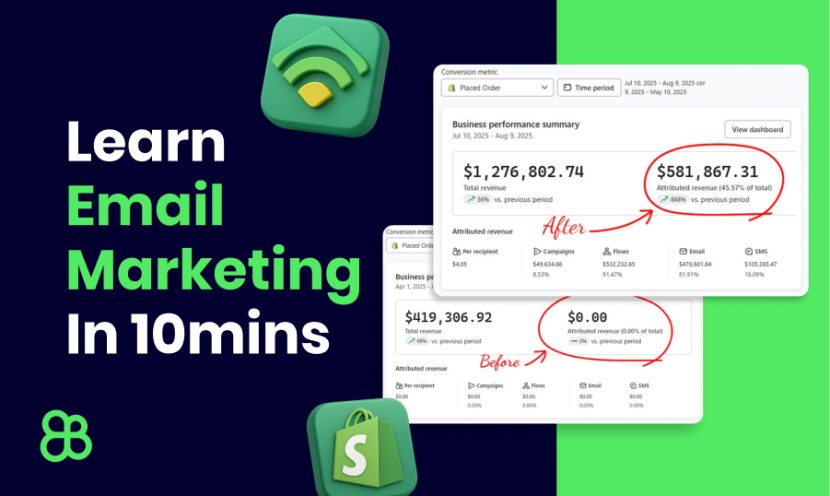
If cold traffic isn’t converting on your store, it’s because you don’t have a backend system to build trust. That backend is Shopify email marketing—and when done right, it can double your revenue without spending more on ads.
In this quick guide, I’ll show you how to set up a complete Shopify email marketing setup in just 10 minutes using Klaviyo. You’ll also get access to our free Figma email templates so your designs look professional from day one.
Why Email Marketing Beats More Ads
Ads are expensive, and most visitors don’t buy the first time. Without a follow-up system, you lose them forever. Email lets you:
- Capture visitors before they leave
- Build trust over time
- Recover lost carts automatically
- Turn one-time buyers into repeat customers
If you’ve ever thought email is “dead,” the truth is it’s still one of the most profitable channels for DTC Shopify brands—when set up the right way.
Image suggestion: A funnel graphic: ads → website → email capture → automated flows → sales.
Step 1: Create a Free Klaviyo Account
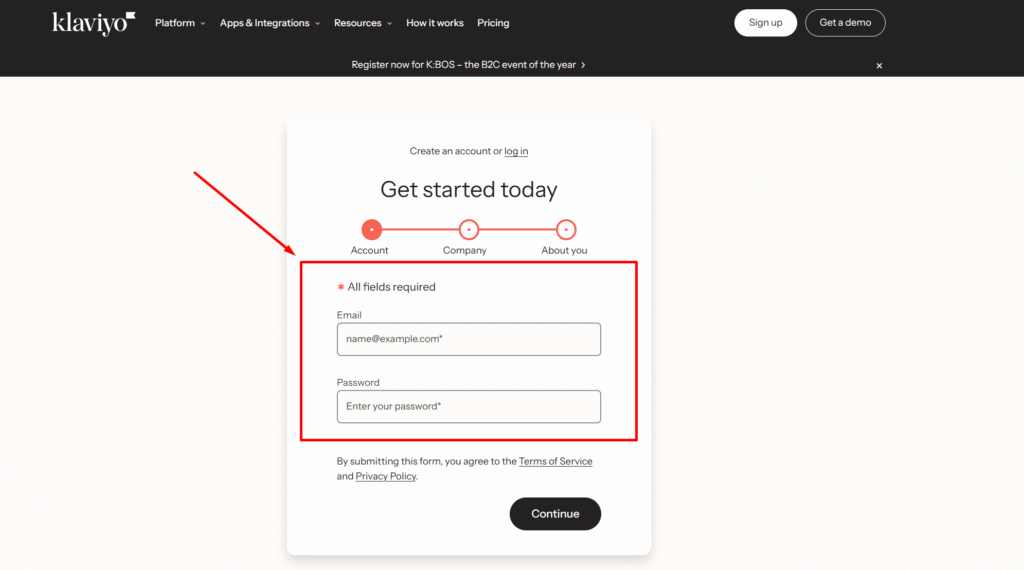
Head to Klaviyo and sign up with your business email. For small stores, it’s free up to 250 subscribers. Enter your company details, and you’re ready to start.
Step 2: Set Up a Branded Sending Domain
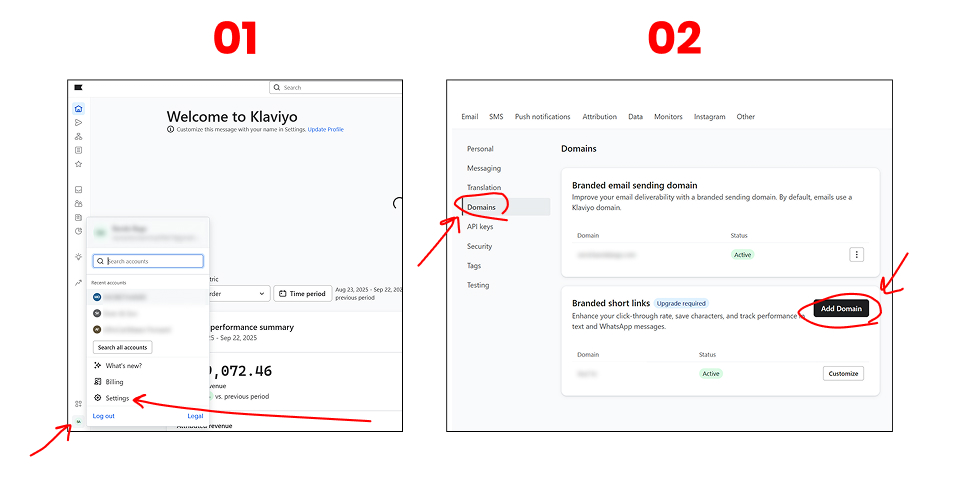
Inside Klaviyo: Account → Settings → Domains → Add Domain. Connect it with your domain provider (like GoDaddy or Cloudflare). Once you see the Active status, you’re set.
Why it matters: This boosts email deliverability so your campaigns land in the inbox instead of spam.
Image suggestion: Klaviyo domains page showing “Active” in green.
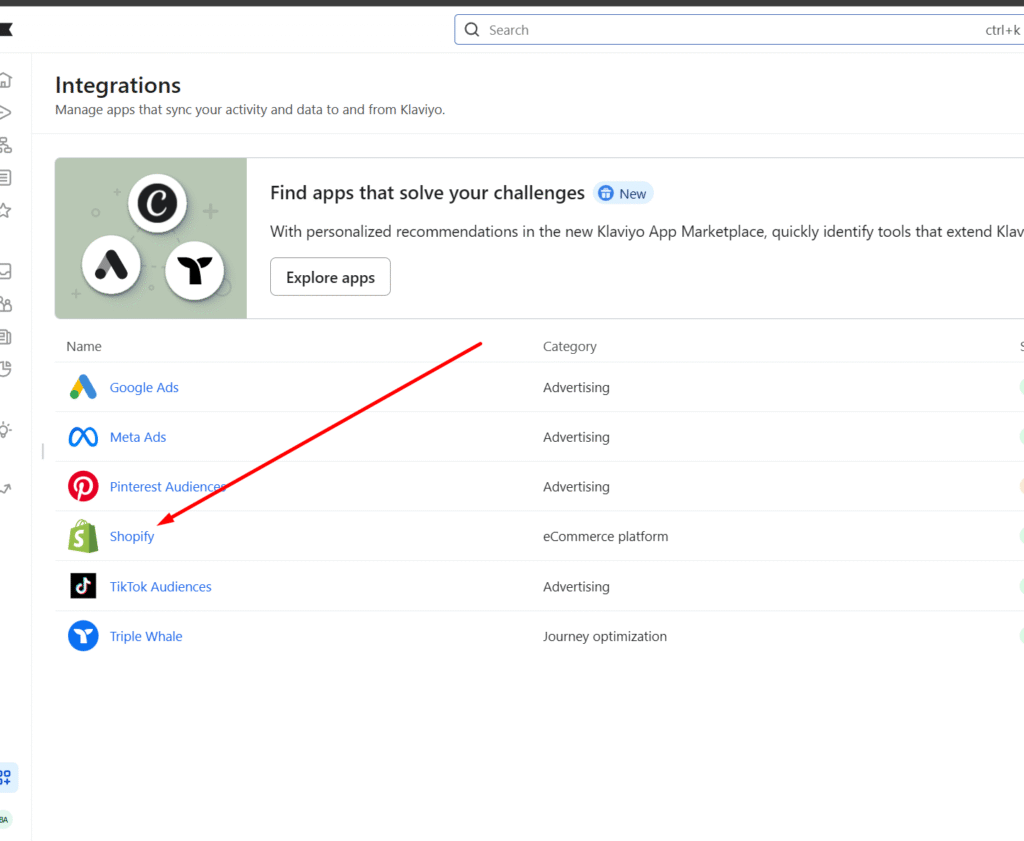
Step 3: Connect Shopify to Klaviyo
In Shopify, go to Apps, search for Klaviyo, and click Authorize. This syncs your customer and order data, so you can trigger emails based on behavior like Add to Cart or Placed Order.
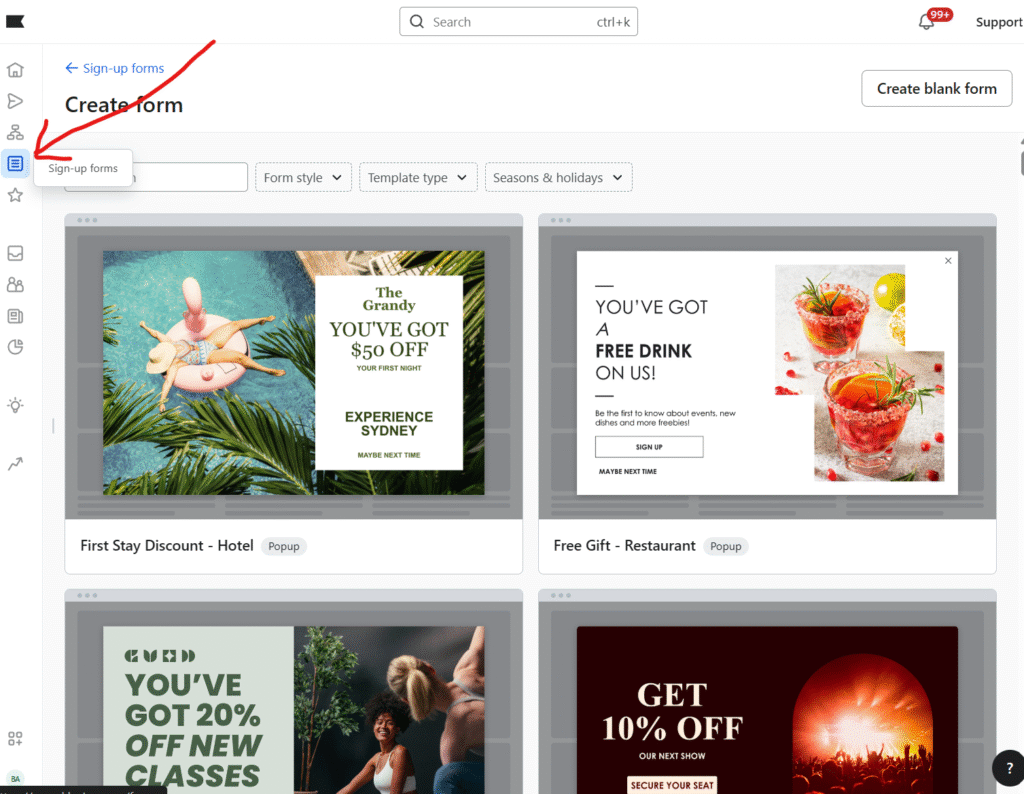
Step 4: Capture Emails with a Signup Form
In Klaviyo: Signup Forms → Create Form. Keep it simple with an email-only popup connected to your main list. Offer a 10% discount or free shipping to encourage signups.
Pro tip: Fewer fields = higher conversion.
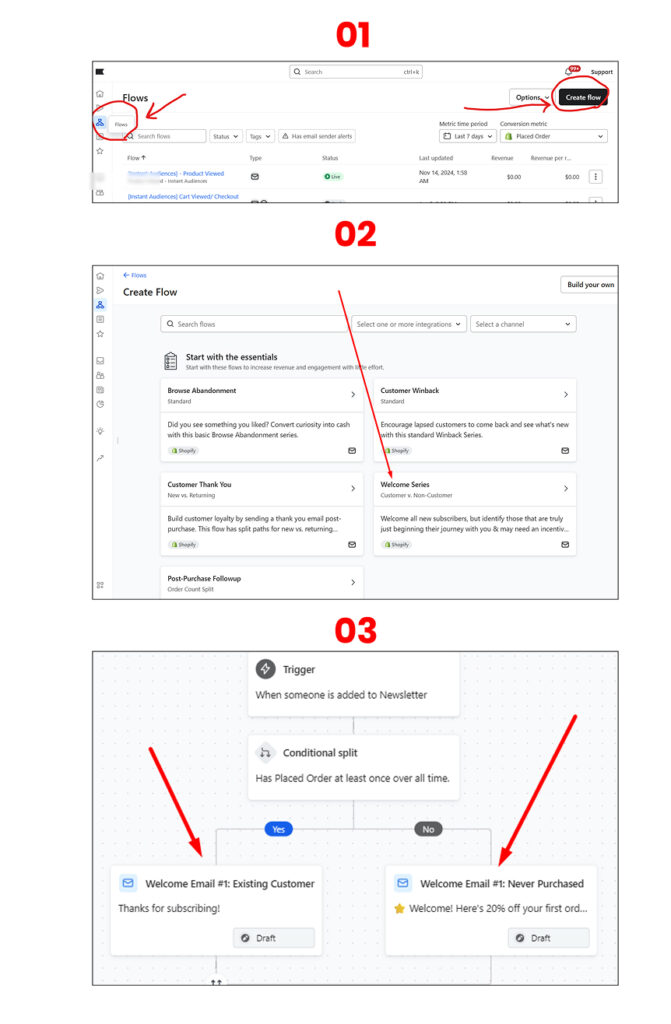
Step 5: Launch a Welcome Flow (Start with One Email)
Go to Flows → Welcome Flow. Use one strong email to greet new subscribers.
Outline:
- Subject: “Welcome! Here’s 10% Off 🎁”
- Hook: Thanks for joining + what to expect
- Offer: Discount code from Shopify (Discounts → Create Code)
- CTA: “Shop Bestsellers”
Design it quickly using our Figma email templates—slice, export, and upload into Klaviyo as an image.
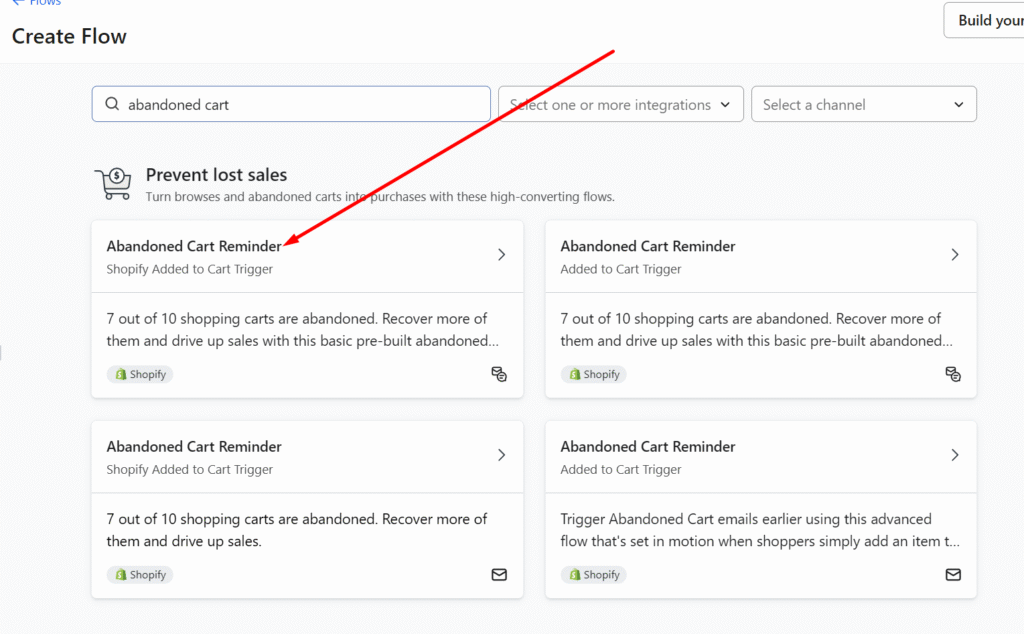
Step 6: Recover Lost Sales with an Abandoned Cart Flow
Create a new flow with the Added to Cart trigger. Keep one email that reminds shoppers what they left behind.
Outline:
- Subject: “Did you forget something?”
- Body: Show cart items (dynamic block from Klaviyo)
- Optional: Add free shipping or a small discount
- CTA: Link back to their cart (Event URL)
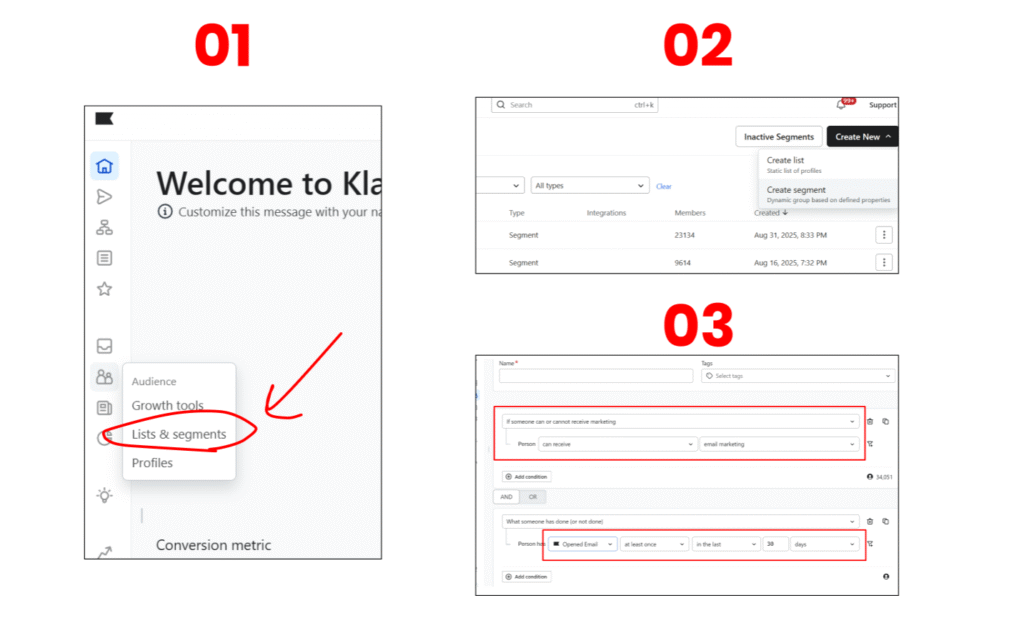
Step 7: Segment Engaged Subscribers
Don’t blast your whole list. Create a segment:
- Can receive marketing
- AND Opened an email at least once in the last 30 days
This keeps your sender reputation strong and ensures better inbox placement.
Step 8: Send Your First Campaign
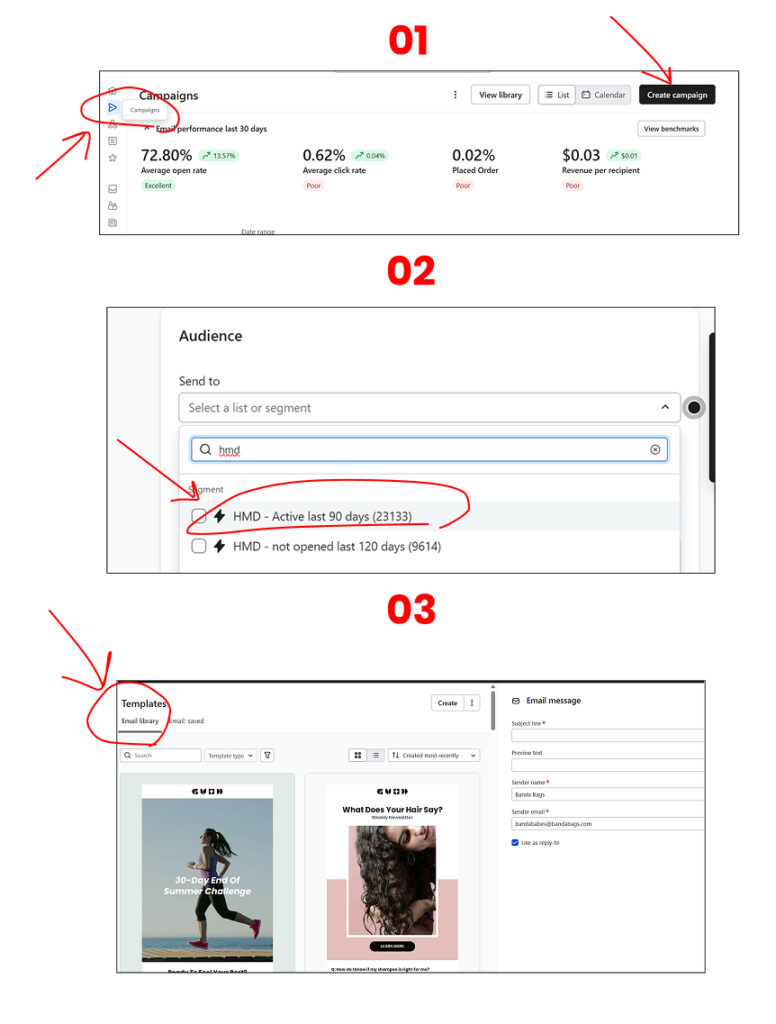
In Campaigns → Create Campaign, pick your engaged segment, drop in your Figma email design, link your buttons, and schedule.
Example subject lines:
- “Summer Sale Ends Tonight – 30% Off”
- “New Arrivals Just Dropped 🚀”
The Power of a Simple 10-Minute System
In just 10 minutes, you now have:
- A Welcome flow that turns signups into customers
- An Abandoned Cart flow that recovers lost revenue
- Smart segments to protect deliverability
- Campaigns that drive seasonal or promotional sales
This foundation runs in the background while you focus on products and ads without burning out.
If you want, You can watch our 10min youtube video on how to do all of the process even easier, WATCH NOW.
Get Your Free Figma Email Templates
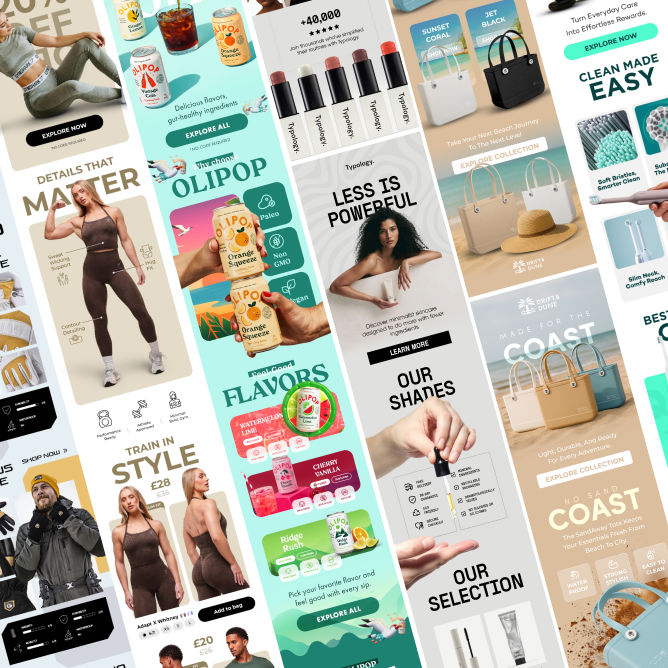
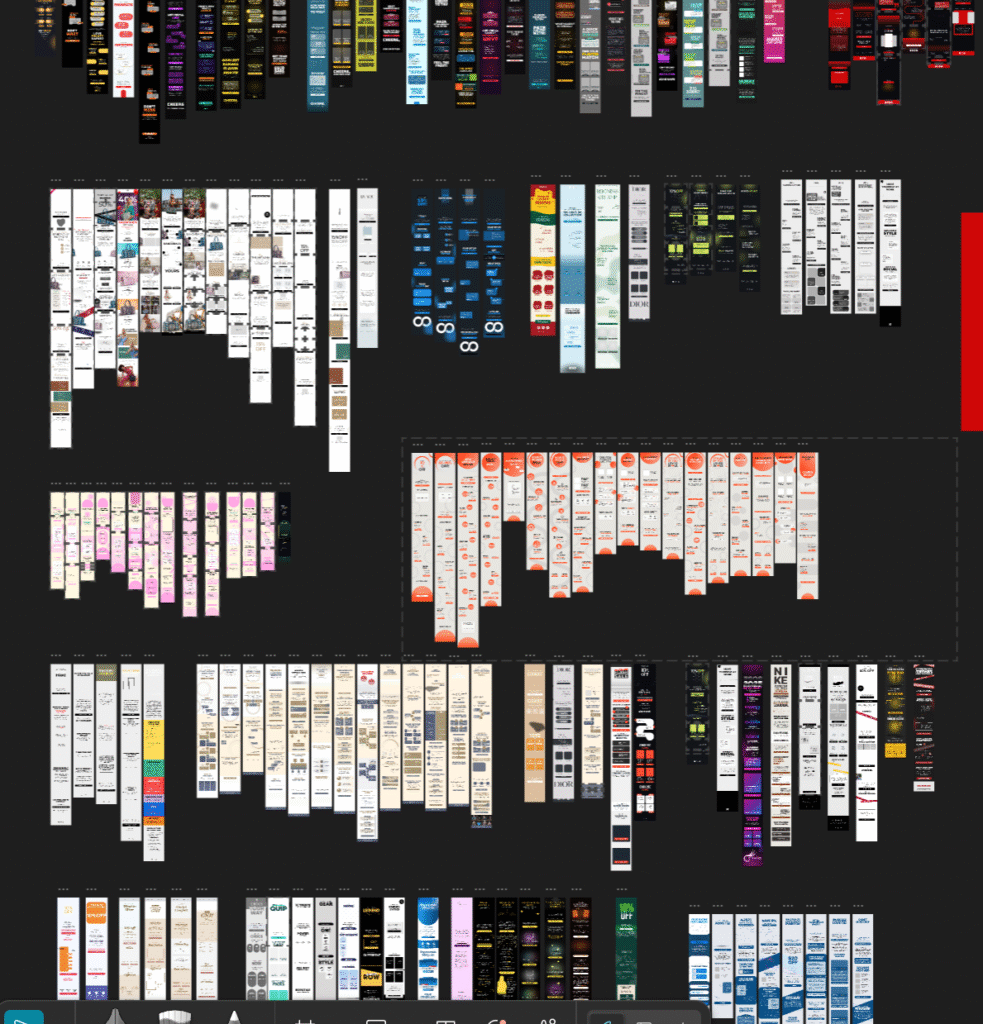
Speed up your design process with our free Figma email template pack. Use proven layouts for Welcome, Abandoned Cart, and Campaign emails. Grab it here: CLICK HERE.
Want Expert Help? Get a Free Email Audit
If you’d like a pro to review your Shopify email setup and create a 90-day revenue plan, request your Free Email Marketing Audit here: CLICK HERE.
We’ll send you practical recommendations tailored to your brand, no fluff, no pushy sales calls.